
Practical AI Readiness
Evaluating AI Features: What Vendor Claims Actually Mean for Nonprofits
"AI-powered" is on every vendor slide right now. Here is what it actually means, what it usually does not mean, and the questions worth asking before you sign anything.
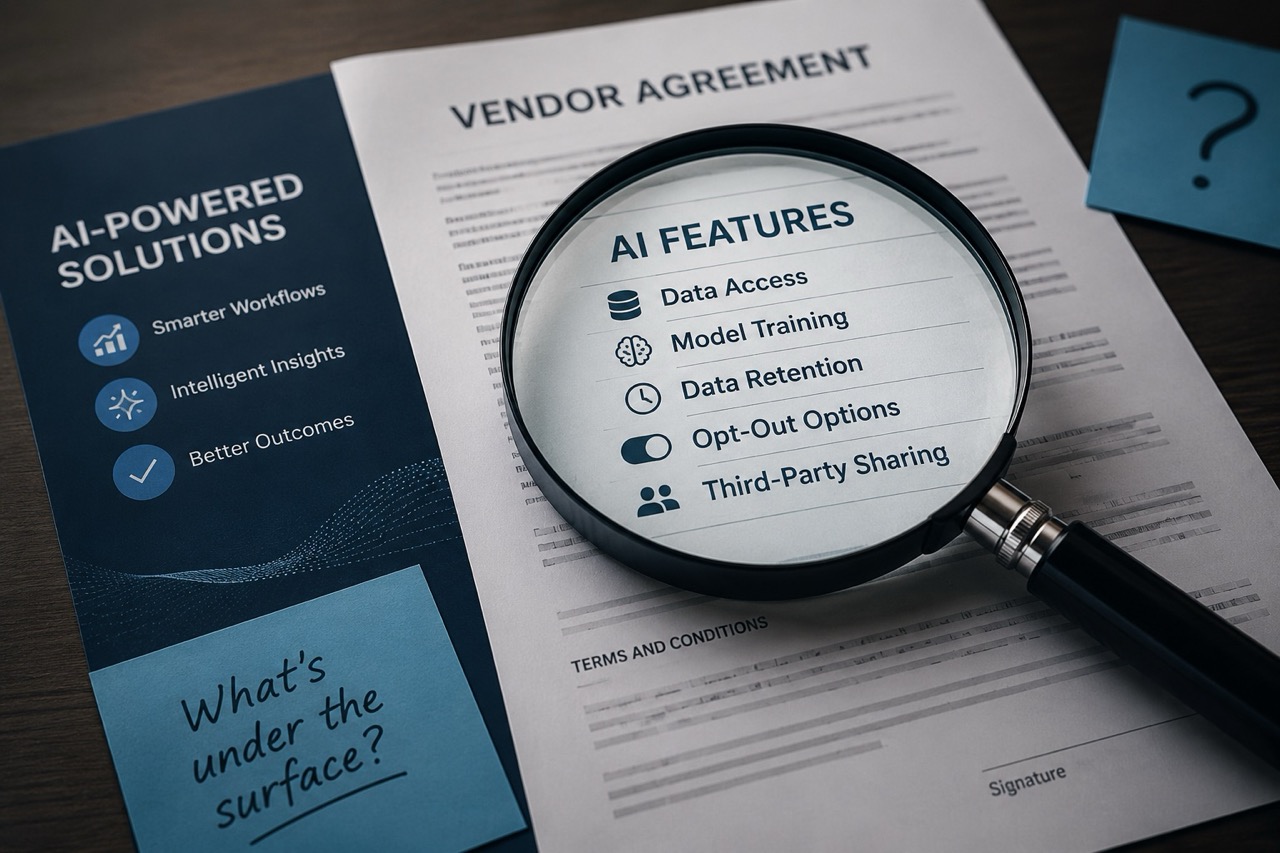
Every vendor has AI features now. It says so on the website, in the demo, in the renewal email, and in the proposal that landed in your inbox this week.
What it rarely says is what those features can actually access, what they do with your nonprofit data, whether you can turn them off, and what happens to the information that flows through them.
That gap, between what a vendor claims and what you are actually agreeing to, is where most nonprofit technology risk quietly lives. And it is almost never surfaced in a demo.
This is not because vendors are dishonest. It is because demos are designed to show you what works. Your job, before you sign or renew anything, is to ask about what does not.
"Demos are designed to show you what works. Your job, before you sign or renew anything, is to ask about what does not."
What Vendor AI Claims Actually Mean in Practice
Here are the vendor AI phrases you will hear most often, and what they usually mean when you dig deeper.
"AI-powered"
This means the product uses some form of machine learning or automation in its workflow. It does not tell you where, how, or what nonprofit data it uses to do it.
Ask: What specifically is AI-driven and what is not? Where in the workflow does it appear?
"Built-in AI assistant"
This usually means a chat or drafting feature layered on top of the core product. What it does not tell you is whether that assistant can access your organizational data, your client records, your communication history, or your connected integrations.
Ask: Exactly what data can this AI feature see? Can it access client records, files, integrations, or communication history?
"We use your data to improve the product"
This is the sentence that deserves the most follow-up when evaluating vendor AI features. It can mean anything from basic usage analytics to training AI models on your nonprofit content.
Ask: Is your data used to train AI models? Can you opt out? What is the default setting on your current plan?
"Enterprise-grade security"
This describes how the nonprofit data is stored and transmitted. It says nothing about what the vendor does with the data once they have it. Security and privacy are different questions.
Ask: How is data protected in transit and at rest? But also ask the privacy questions below.
"Compliant with HIPAA / SOC 2 / GDPR"
Compliance certifications confirm the vendor has met certain standards. They do not confirm that your specific nonprofit use of the product is compliant, or that the AI features you are evaluating fall under the same certification scope.
Ask: Do the AI features specifically carry the same compliance certification? Does using this feature change your compliance obligations?
The Six Questions That Actually Surface the Problems with Vendor AI Features
You do not need to become a technical expert to evaluate a vendor's AI claims. You need six questions. Ask them before the demo ends, before the contract is signed, and before any renewal that includes new AI features.
Get specific. Does it access client records? Communication history? Connected integrations? Files stored in the platform? Do not accept "it only uses what you give it" as a complete answer.
Ask: What can this AI feature access even if we do not actively feed it anything? Can it see historical data? Can it access connected systems?
This is the most important question and the one most people forget to ask when evaluating vendor AI features. The answer varies significantly between free and paid tiers, and often between product versions.
Get it in writing if you can. This is a material difference that belongs in your contract.
Many platforms default to opt-in for data training, meaning your nonprofit is contributing unless you actively change a setting. Others require explicit consent.
Ask: Where is that setting located? Does it apply to the whole organization or per-user? Does it cover all AI features or just some? What is the default today?
Data retention policies vary widely. Ask specifically about AI feature data, not just general platform data. They are sometimes governed by different terms.
Ask: How long does the vendor retain data processed by this AI feature? What happens when we cancel the contract? Is there a data deletion timeline?
Not when the software crashes. When the AI feature does something unexpected with nonprofit client data, sends something it should not have, or surfaces information in a context it should not appear in.
Ask: If this AI feature mishandles our data, who is responsible? What is the escalation path? Is there a written SLA or accountability framework?
If the vendor cannot give you a clear answer, that is a governance gap, not a support question.
Some AI features are optional. Others are embedded in the core workflow and cannot be disabled without affecting core functionality.
Ask: Can we disable this feature entirely? If not, what core functions depend on it? Can we disable it for specific data types or user groups?
Know which one you are dealing with before you commit.
Two Situations That Deserve Extra Attention When Evaluating Vendor AI
Free Tiers and Data Training
Free tiers almost always operate under different terms than paid or enterprise plans. If your nonprofit is using a free version of any AI tool, check the privacy policy and terms of service specifically for the free tier. The answers to the six questions above are often very different from what applies to the paid version.
Many free tiers reserve the right to use your nonprofit data for product improvement or AI model training. This is rarely disclosed in onboarding.
Built-In AI Features in Tools You Already Pay For
An AI summarization feature added to your meeting platform, a drafting assistant built into your CRM, or an automation layer added to your project management tool: none of these are covered by the security review you did when you first signed the contract.
Built-in AI features deserve the same scrutiny as standalone tools. They are often added via platform update without explicit notification, and they may operate under different data handling terms than the core product.
What You Are Actually Responsible For After the Vendor Contract is Signed
Vendors are responsible for building products that do what they say. You are responsible for understanding what you agreed to and making sure it fits how your organization handles information.
That is not a small responsibility. Your clients, donors, and community members did not consent to having their information processed by tools your organization never reviewed. The fact that a vendor offers a feature does not mean your organization has evaluated whether using it is appropriate.
The demo will not tell you that. The questions above will get you closer.
A Practical Framework for Evaluating Vendor AI Before You Commit
If you have a vendor conversation coming up, a contract renewal on the calendar, or you are uncertain about what AI features are already active in the tools your nonprofit uses, the Nonprofit Practical AI Readiness program provides the structured framework you need.
It walks you through exactly what to capture for each vendor and platform, how to assess the risk level, and what follow-up looks like when the answers are unclear. The vendor review process it outlines surfaces the gap between what vendors claim and what your nonprofit is actually agreeing to.
Get a Structured Vendor Review Process
Start with the free toolkit to build your vendor risk assessment, or book a call to walk through the AI features currently in use at your nonprofit and what questions to ask your vendors next.